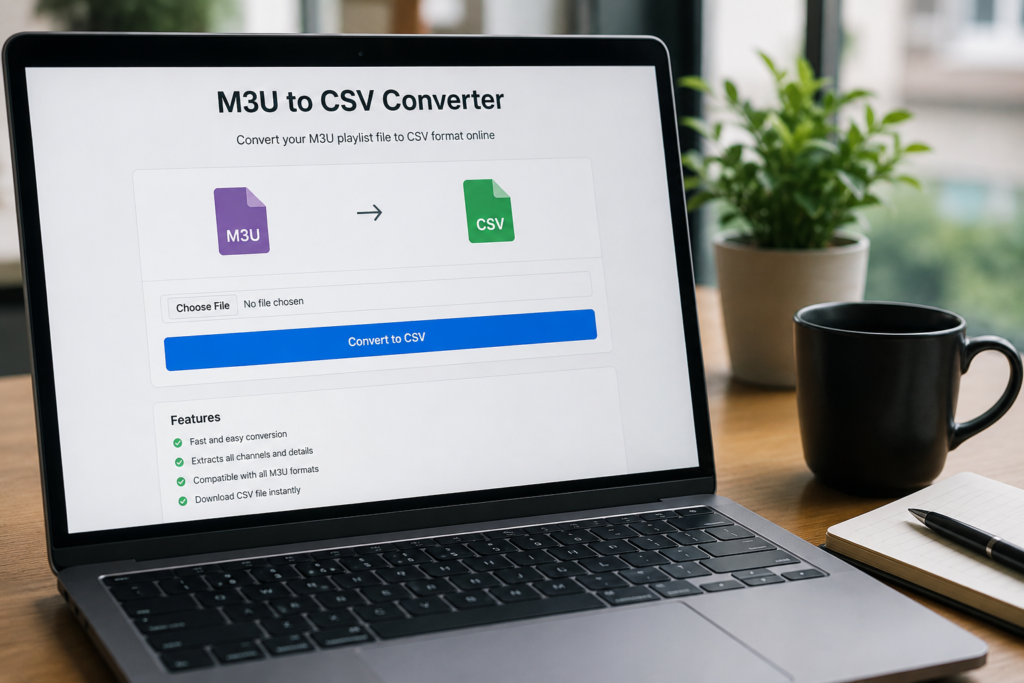
IPTIVO local playlist utility
Free M3U to CSV Converter Online
Convert your M3U or M3U8 playlist into a clean CSV file. Extract channel names, groups, TVG data, logos and stream URLs directly in your browser.
- Private browser processing
- No server upload
- No artificial size limit
Convertisseur M3U en CSV gratuit, rapide et sécurisé.
Playlist input
Convert your playlist locally
Your playlist remains on your device. IPTIVO does not upload, store or inspect your M3U file.
Drop your M3U or M3U8 file here
or choose a file from your device
No artificial file-size limit. Large files are processed locally. Actual capacity depends on your browser, available memory and device performance.
Selected file
- File name
- —
- File size
- —
- Detected format
- Pending inspection
- Last modified
- —
Pasted content is processed only for this conversion and is not saved in browser storage.
This browser will choose the safest available local CSV save method.
Conversion progress
0%- Processed
- 0 B
- Total size
- —
- Entries found
- 0
- Elapsed time
- 0 s
Conversion complete
Your CSV is ready
- Total valid entries
- 0
- Unique groups
- 0
- Duplicate URLs detected
- 0
- Duplicate URLs removed
- 0
- Entries missing names
- 0
- Entries missing groups
- 0
- Invalid or ignored lines
- 0
- Processing duration
- 0 s
- Output file
- —
- Output size
- —
CSV preview
Showing up to the first 50 converted rows. Logo addresses are shown as text and are never loaded.
No preview rows are available.
| Channel Name | Group | TVG ID | Logo | Stream URL |
|---|
Privacy: Your playlist remains on your device. IPTIVO does not upload, store or inspect your M3U file.
Responsible use: IPTIVO does not host, provide or verify media streams contained in uploaded playlists. Use this tool only with files and links that you are authorized to process.
What is an M3U file?
An M3U file is a text-based playlist that records references to media locations. A basic file may contain only one address per line, while an extended M3U playlist can add an #EXTINF line before each address. That metadata can describe a channel name, group, TVG identifier, logo URL, language, country, catch-up settings and other information used by compatible players.
The playlist normally does not contain the video or audio itself. It points to locations that a player may open later. M3U8 uses the same general playlist structure with UTF-8 text encoding, which is especially useful for Arabic, French accents, German characters, emoji and other international text. This M3U playlist converter reads those text records only; it does not contact, test or play any listed stream.
Why convert M3U to CSV?
Converting a playlist into rows and columns makes its information much easier to review. A CSV file can be opened in Microsoft Excel, Google Sheets, LibreOffice Calc and many data tools. You can sort channels by group, compare TVG IDs, locate blank fields, review language labels, identify repeated stream addresses and create a cleaner catalog of a playlist you are authorized to manage.
An M3U playlist to Excel workflow is useful when a long text file has become difficult to audit manually. Instead of searching through alternating metadata and URL lines, you get predictable columns for each entry. Editors can filter a sports group, find channels without logos, compare names against an electronic programme guide, or prepare corrections before rebuilding a playlist. The CSV is an organizational output; it does not grant access to or change the media referenced by the source file.
How to convert M3U to CSV
- Select a playlist. Choose a local
.m3uor.m3u8file, or switch tabs and paste playlist text. The tool inspects the text structure rather than trusting the filename alone. - Choose CSV options. Select comma, semicolon or tab separation. Keep the UTF-8 BOM enabled for strong Excel compatibility, and decide whether to remove duplicate URLs or include extended metadata.
- Start the local conversion. Select “Convert to CSV.” File reading and parsing run in a dedicated browser worker so the page can continue responding while large playlists are processed in chunks.
- Save and review the result. Download the completed CSV or, in supporting browsers, write it progressively to the save destination you selected. Review the summary and first 50 rows before opening the file in a spreadsheet.
Data included in the CSV file
The extended export uses a documented order for channel name, TVG ID, TVG name, logo URL, group title, channel number, country, language, radio status, catch-up fields, time shift, user agent, referrer, duration, stream URL and extra attributes. Unknown #EXTINF attributes are preserved as valid JSON in the final column instead of being silently discarded.
If extended metadata is disabled, the output is reduced to channel name, group title, TVG ID, logo URL and stream URL. Empty cells mean that the source entry did not provide that value. For a direct URL without metadata, the converter attempts to derive a readable name from its path and otherwise assigns a neutral item number. Logo values remain text throughout the preview, preventing a third-party image server from receiving a request from your browser.
Private browser-based conversion
This M3U CSV converter online processes the selected file on your device. Playlist content is not submitted through a form, WordPress AJAX, a REST endpoint or a third-party conversion service. It is not written to the IPTIVO database, cookies, Local Storage, Session Storage or IndexedDB. The tool also avoids requesting stream and logo URLs, which may contain private usernames, passwords or provider-specific tokens.
There is no artificial file-size limit. Uploaded files are decoded progressively and parsed away from the main page in a Web Worker. In compatible Chromium browsers, CSV chunks can be written directly to a user-selected destination with backpressure. Other browsers assemble the final Blob in memory. Extremely large jobs therefore still depend on browser memory, available storage, permission support and device performance. Cancel stops the worker and discards unfinished output safely.
M3U vs M3U8 vs CSV
These three formats serve different purposes. M3U and M3U8 describe ordered media references, while CSV reorganizes extracted information for analysis. An M3U8 file is not automatically a list of video segments: it is the UTF-8 form of the playlist format and can hold a channel list or an HLS streaming manifest. This tool detects common HLS manifest tags and stops before segment addresses are mistaken for television channels.
| Format | Structure | Typical use |
|---|---|---|
| M3U | Text playlist with media references and optional metadata | Organizing channels, audio or other authorized media references |
| M3U8 | UTF-8 M3U text; may be a channel list or an HLS manifest | International playlists and HTTP Live Streaming structures |
| CSV | Delimited rows and columns | Sorting, filtering, cleaning and auditing data in spreadsheets |
Frequently asked questions
Is the M3U to CSV converter free?
Yes. IPTIVO’s M3U to CSV converter is free to use. It runs in your browser and does not require an account.
Are my M3U files uploaded to IPTIVO?
No. Your playlist is processed locally in your browser. IPTIVO does not upload, store or inspect its contents.
Is there a maximum file size?
IPTIVO does not impose an artificial file-size limit. Files are processed locally in chunks, but extremely large files still depend on the browser, available memory, storage permissions and device performance.
Does the converter support M3U8 files?
Yes. It supports M3U8 channel playlists. Because M3U8 is also used for HLS manifests, the tool stops when it detects a streaming manifest instead of a channel list.
Can I open the CSV file in Microsoft Excel?
Yes. Keep the UTF-8 BOM option enabled for the best compatibility with Microsoft Excel, including Arabic, French, German and other accented or non-Latin text.
Can the converter extract channel groups and TVG IDs?
Yes. When the source provides them, the converter extracts group titles, TVG IDs, TVG names, logo URLs and other supported metadata into separate CSV columns.
Why are some CSV fields empty?
A field remains empty when that playlist entry does not provide the corresponding metadata. The converter does not invent missing TVG IDs, groups, logos or language data.
Does this tool download or convert video streams?
No. It reads playlist text only. It never opens, downloads, validates or plays the media URLs contained in a playlist.
Can I convert a remote M3U URL?
No. This version intentionally accepts a local file or pasted text. Remote URLs can expose private credentials and introduce CORS and security risks.
Why did the tool detect an HLS manifest?
The file contains tags used for HLS media segments or stream variants rather than a channel list. Select an M3U or M3U8 channel playlist instead.
Helpful IPTIVO resources
Continue with a trusted setup guide
Need help using an authorized playlist on your device? These published IPTIVO pages explain compatible applications, setup steps and support options without distracting from the converter.